
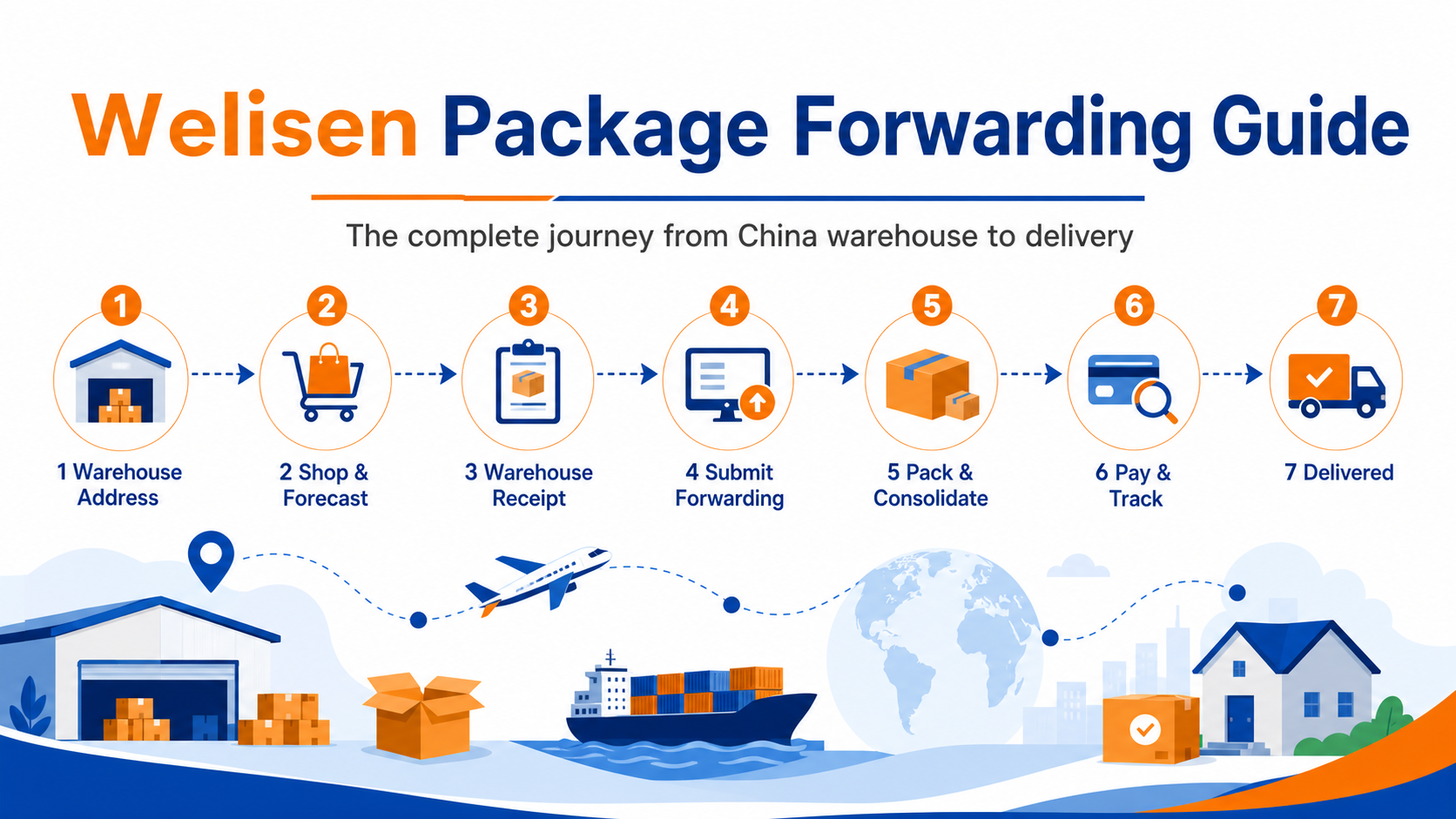
This guide follows the real Welisen customer portal flow. It is for customers who shop on Chinese marketplaces themselves and need their purchases forwarded overseas.
Complete sequence: get the China warehouse address and include your member ID → shop and forecast the domestic parcel → warehouse receipt → submit a forwarding order and choose an address and channel → warehouse packing and consolidation → payment and tracking → delivery.
1. Before You Start
Sign in to the Customer Dashboard and prepare:
- a valid overseas delivery address and phone number;
- the Chinese domestic tracking number from the seller;
- the product name, quantity, price, and sensitive-item information;
- all parcels you want to consolidate. Wait until every parcel is shown as received before submitting one forwarding order.
2. Get Your China Warehouse Address and Include Your Member ID
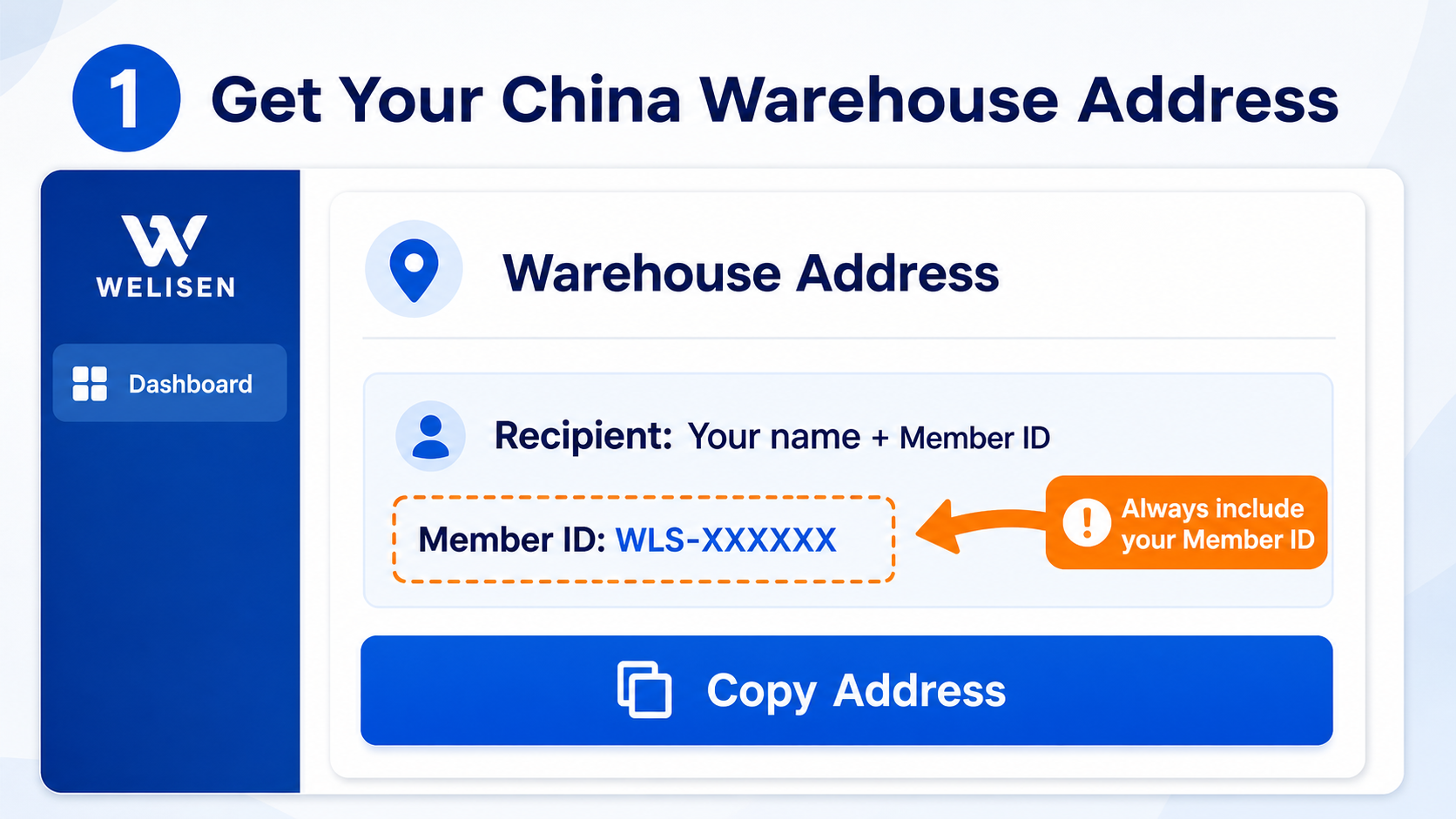
- Open the Customer Dashboard and find “Warehouse Address”.
- Copy the recipient, phone number, province, city, district, and detailed address into the shopping platform.
- Always include your member ID in the recipient information. The warehouse uses it to identify your parcel. A missing or incorrect ID can delay receipt.
- Do not use the sample ID shown in the illustration. Use the ID displayed in your own account.
3. Shop Yourself and Forecast the Domestic Parcel
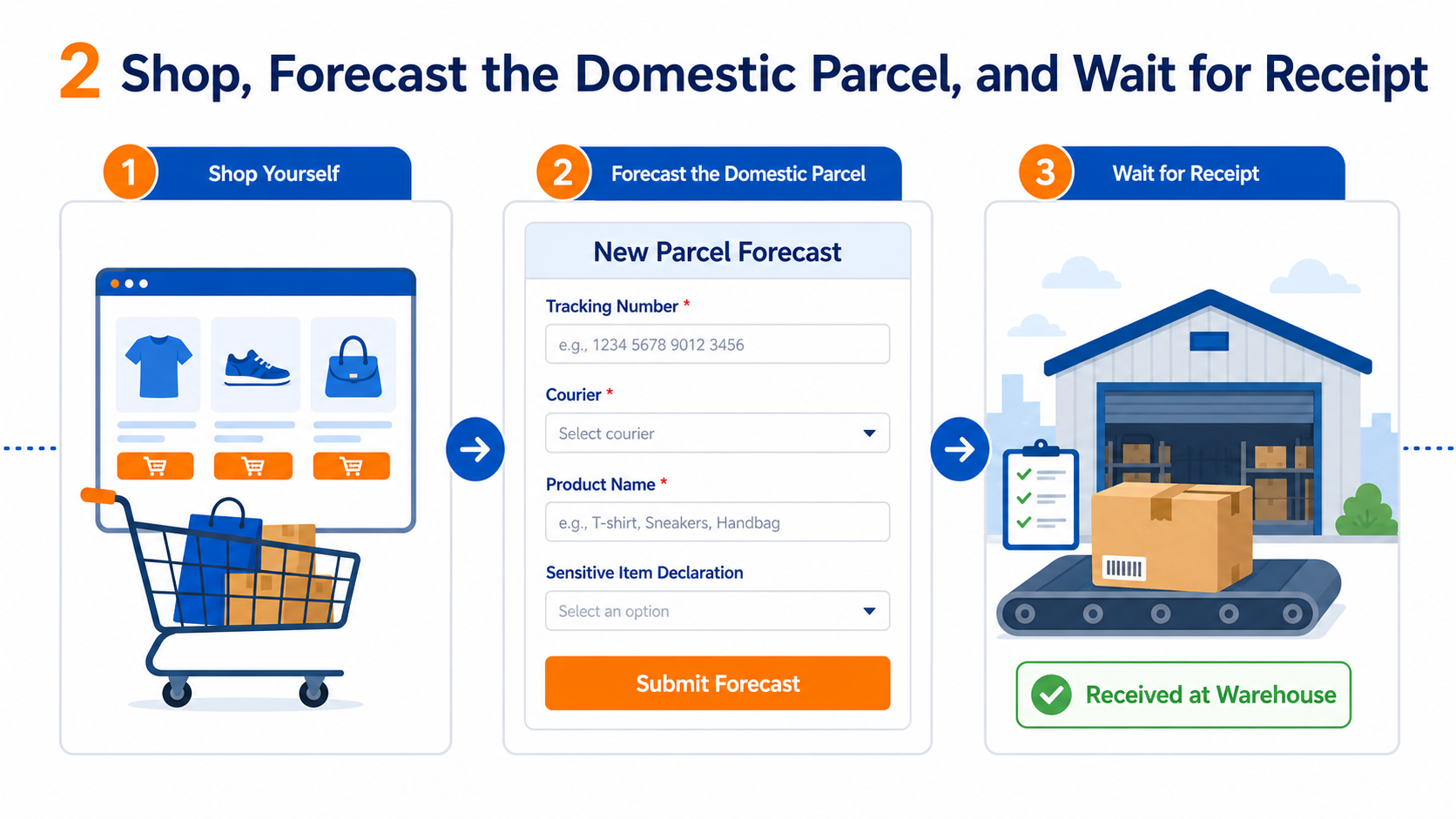
- Place the order on Taobao, Tmall, or another Chinese marketplace. Use the warehouse address and your member ID as the delivery information.
- After the seller ships and provides a domestic tracking number, open New Parcel Forecast.
- Enter the required tracking number, courier, product name, quantity, and price. Declare sensitive items accurately.
- Add the product link, specification, notes, or value-added services when applicable.
- Select “Submit Forecast”. Do not forecast the same domestic tracking number more than once.
4. Wait for Warehouse Receipt
After delivery, the warehouse signs for the parcel, verifies it, and records information such as weight. Check Warehouse Parcels. A successful forecast does not mean the parcel is already received. You can select it for forwarding only after its status changes to “Received at Warehouse”.
If the domestic courier shows delivered but the parcel remains missing from the portal for an unusually long time, contact support with the tracking number and delivery proof.
5. Submit a Forwarding Order, Address, and Channel
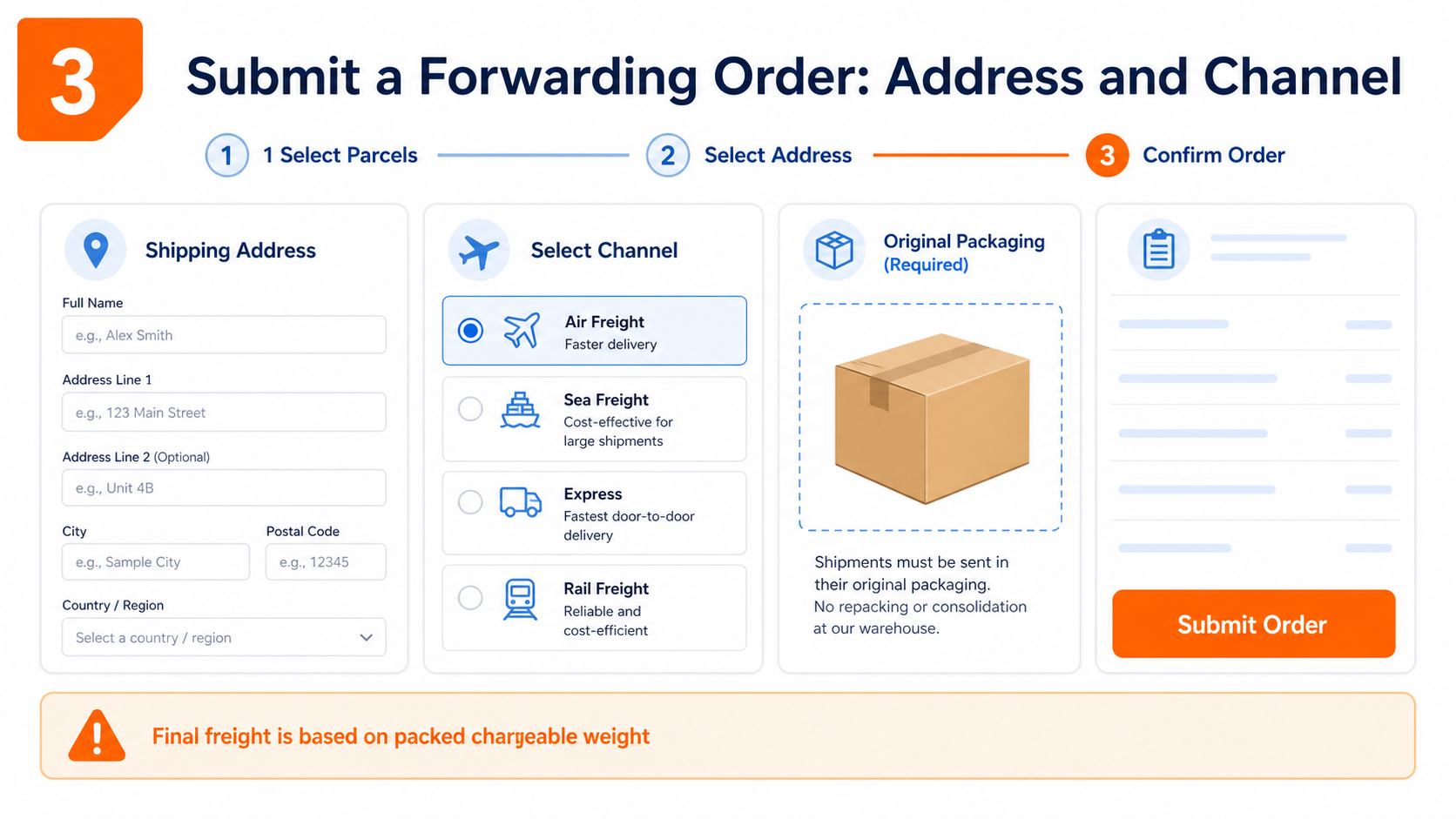
- Open Create Forwarding Order and select one or more received parcels. Selecting multiple parcels requests consolidation.
- Choose a saved overseas address. If needed, add one and verify the country, postal code, and phone number.
- The portal shows available channels based on destination and parcel data. Compare transit time, restrictions, and estimated cost.
- Choose how the warehouse should handle original packaging. This is required. Keep it for fragile items, collectible packaging, or possible returns; remove it when appropriate to reduce weight.
- Review the order and submit it. The displayed amount is an estimate. Final freight is based on the actual packed chargeable weight.
6. Warehouse Packing and Consolidation
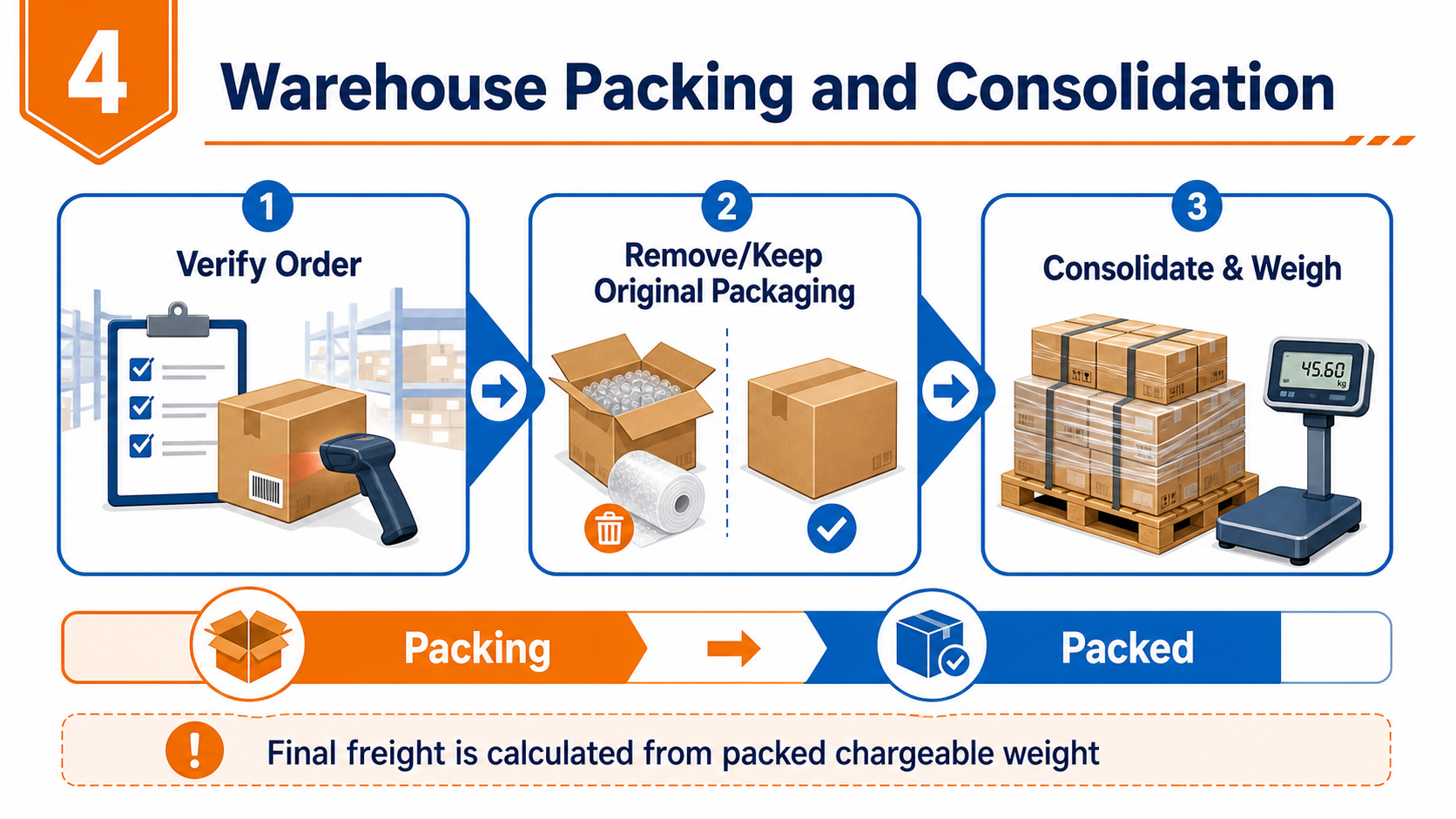
After submission, the order moves to “Pending Packing” or “Packing”. The warehouse verifies the selected parcels, follows your original-packaging choice, consolidates and reinforces the shipment, then weighs it and calculates the chargeable weight. When packing is complete, the order changes to “Packed” or “Pending Payment” and shows the final freight amount.
Confirm the parcels and packaging instructions before packing begins. Later changes may require help from customer service.
7. Pay Freight and Track the Shipment
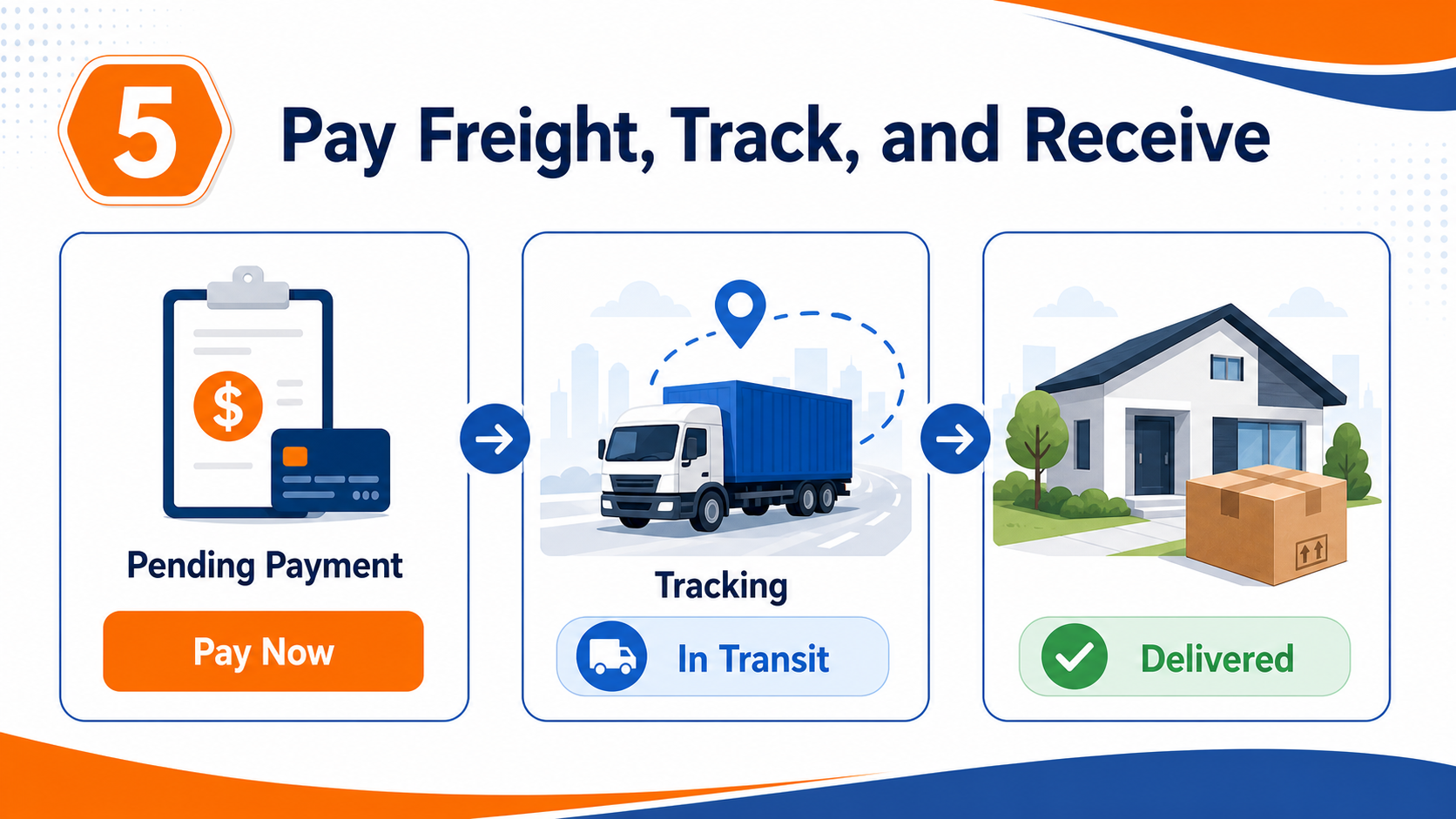
- Open the pending order under Forwarding Orders, review the charge, and pay.
- After payment, wait for warehouse dispatch. The order will display an international tracking number and tracking events after shipment.
- Follow transportation, customs clearance, and final delivery in the order detail or on Tracking.
- Cross-border tracking is not always real-time. A short gap between scans does not necessarily mean the parcel is lost.
8. Receive and Inspect the Parcel
Check the outer carton before opening it. If it is damaged, items are missing, or a product is abnormal, photograph the carton and shipping label and record a complete unboxing video before contacting support. Once everything is correct, the forwarding journey is complete.
Frequently Asked Questions
Where should I put my member ID? Add it to the warehouse recipient information on the shopping platform, normally together with the recipient name. Follow the format shown in your dashboard.
Why can’t I submit forwarding immediately after a forecast? A forecast only registers the tracking number. Wait until the warehouse receives the physical parcel and updates its status.
Why is the amount at submission not final? The portal can only estimate from receipt data. Final freight is calculated after consolidation using actual and volumetric weight.
Can I send several parcels together? Yes. Wait until all related parcels are received, then select them together when creating the forwarding order.
For more help, see Services or contact online support.